How to Use Affiliate Links on Facebook Without Spamming
Published 4 min read
To use affiliate links on Facebook, post them where people expect recommendations: your profile, your Page, a deals group you run, or groups that allow promotions. Link to a product or storefront page so the preview shows what you're recommending, add one line on why you like it, and disclose that you earn a commission. Check your affiliate program's rules first.
Facebook is where a lot of shopping questions get asked in plain words: "anyone know a good stroller under $200?". It's also where a stranger's link feels most like spam. The steps below keep your links useful instead of spammy. Sources, checked in October 2026: Meta's Community Standards on spam and the FTC's Disclosures 101 for Social Media Influencers.
Step 1: Do your affiliate programs allow Facebook?
Most do, but read the terms before you post. Programs differ on where their links can go. Some restrict links in private messages, email or closed groups, and some don't allow paid ads that use their brand name. The terms page of each program you use, for your country, is the only reliable answer.
Two things to note while you read:
- The required disclosure line, if the program has one.
- Whether link shorteners are allowed, since some programs only accept their own short links.
Step 2: Where on Facebook should you post affiliate links?
Pick the place by who sees it and what they expect.
| Place | Who sees it | Best for | Watch out for |
|---|---|---|---|
| Your profile | Friends and followers | Honest tips about things you use | Friends notice when every post is a sale |
| Your Page | People who followed for your topic | Reviews, lists, weekly finds | Reach on Pages depends on engagement |
| A deals group you run | Members who joined for offers | Daily deals, price drops | You set and enforce the rules |
| Other people's groups | Members of that community | Answering a question with a link | Many groups ban links; read the rules |
| Comments | People reading that thread | Replying when someone asks "where?" | Pasting links under unrelated posts is spam |
Add your main link to your profile's intro or your Page's website field as well. People who like a post often tap your name next, so that link should lead somewhere useful.
Step 3: Should you post the product link or your storefront?
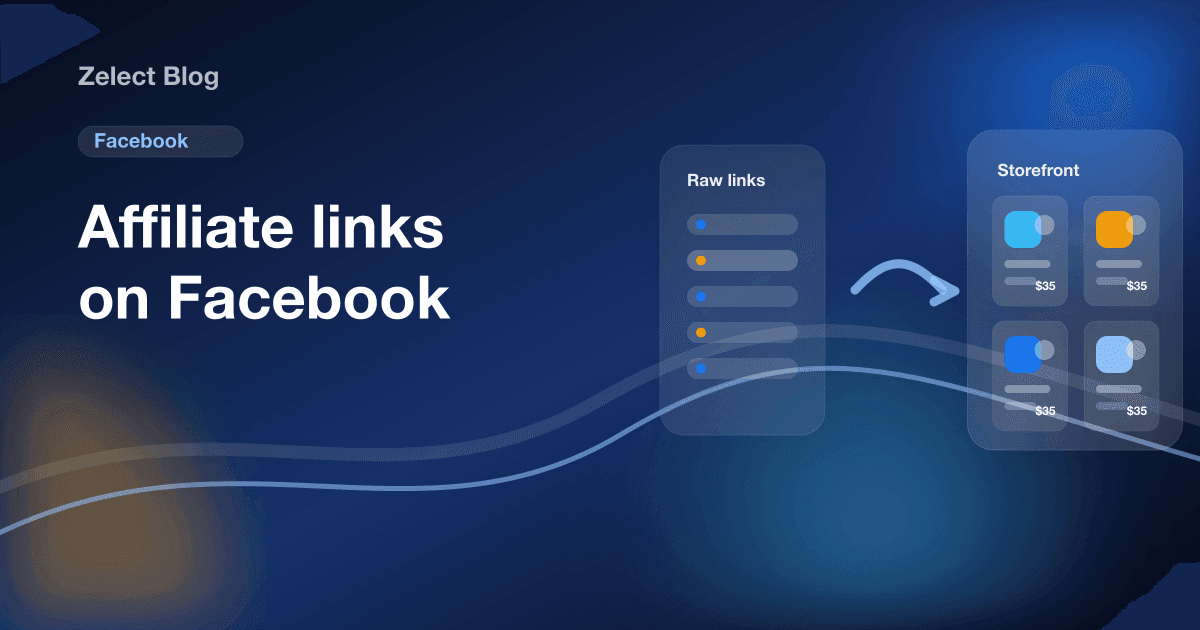
For a single product, post the product's own page. Facebook builds the preview from the destination page, so the photo and title match what you wrote.
For anything bigger, post a page you control: a storefront or one of its categories. It fits three cases:
- Lists. "5 kitchen tools under $30" works better as one category link than five raw links.
- Recurring posts. A weekly "finds" post can point to the same category, updated each week.
- Old posts. When a product sells out, you swap it on your page instead of editing every post that linked to it.
Meta has also tested limits on how many link posts some Pages and professional-mode profiles can share without a Meta Verified subscription. One storefront link that holds many products uses fewer of those posts.
Step 4: What should you write with each link?
Write the post like a recommendation, not an ad. A simple shape:
- The situation. "My old lunch box leaked in every bag."
- The product and why. "This one has a silicone seal and goes in the dishwasher."
- The honest catch. "It's bigger than it looks in photos."
- The disclosure. "Affiliate link: I earn a commission if you buy through it."
Add your own photo when you can. A picture of the product on your kitchen counter tells people you used it.
Step 5: How do you disclose affiliate links on Facebook?
Put the disclosure next to the link, before the "See more" cut, in plain words. The FTC's guidance says disclosures should be hard to miss and easy to understand; hashtags like #ad alone at the end of a long post aren't enough. Our affiliate disclosure examples include ready lines for posts, groups and storefronts.
Step 6: How do you know if Facebook is working?
Give Facebook its own links so you can count clicks from it apart from Instagram or TikTok:
- A tracking ID or sub-ID for Facebook in each affiliate dashboard.
- A category per series, like "Weekly deals", so the post link is unique.
- Click counts on your storefront, by product and category.
After a few weeks, compare clicks per post across profile, Page and groups, and post more where people click. Our guide on tracking affiliate link clicks compares the options. If you also share deals in chats, see how to share affiliate links on WhatsApp.
Where does Zelect fit?
Zelect is the storefront tool we build, so weigh this with that in mind. It gives your Facebook posts one place to point. Paste a product link from Amazon, Walmart, Target or a brand's site, and Zelect builds a card with the photo, title and price when the page exposes them. Group products into categories, each with its own link, and share a category in a post or group.
The Free plan has 1 storefront with 25 products and 3 categories. Pro is $4.90 a month and Ultra $5.90 a month, with click analytics on Ultra. Read what an affiliate storefront is if you're new to the idea.
Start a free Zelect storefront and use it in your next Facebook post. No card needed.
Frequently asked questions
Are affiliate links allowed on Facebook?
Yes. Facebook lets you share links in posts, on Pages, in groups and in comments. What it doesn't allow is spam: misleading links, the same post repeated everywhere, or links that hide where they go. Your affiliate program and each group's rules apply on top of that.
Can I post affiliate links in Facebook groups?
Only where the group allows it. Many groups ban links or promotions, and admins can remove posts or members. Read the rules, ask the admin when in doubt, or start a deals group of your own that people join for offers.
Do I need to disclose affiliate links on Facebook?
Yes. In the US the FTC expects a clear disclosure close to the link, in words people understand, such as "I earn a commission if you buy through this link". Some programs require their own sentence too, like Amazon's "As an Amazon Associate I earn from qualifying purchases".
Should I post the affiliate link or my storefront?
For one product, link to that product so the preview shows it. For lists, recurring deals or many products, link to a storefront or one of its categories. A page you control also lets you replace a sold-out product without editing old posts.
Why do my Facebook link posts get little reach?
Facebook doesn't publish how it ranks link posts, so treat any rule you read as a guess. What you control: a clear photo or preview, a first line that says why the product matters, and posting where people expect deals.