What Is a Link in Bio? What to Put in It and Which Tool
Published 5 min read
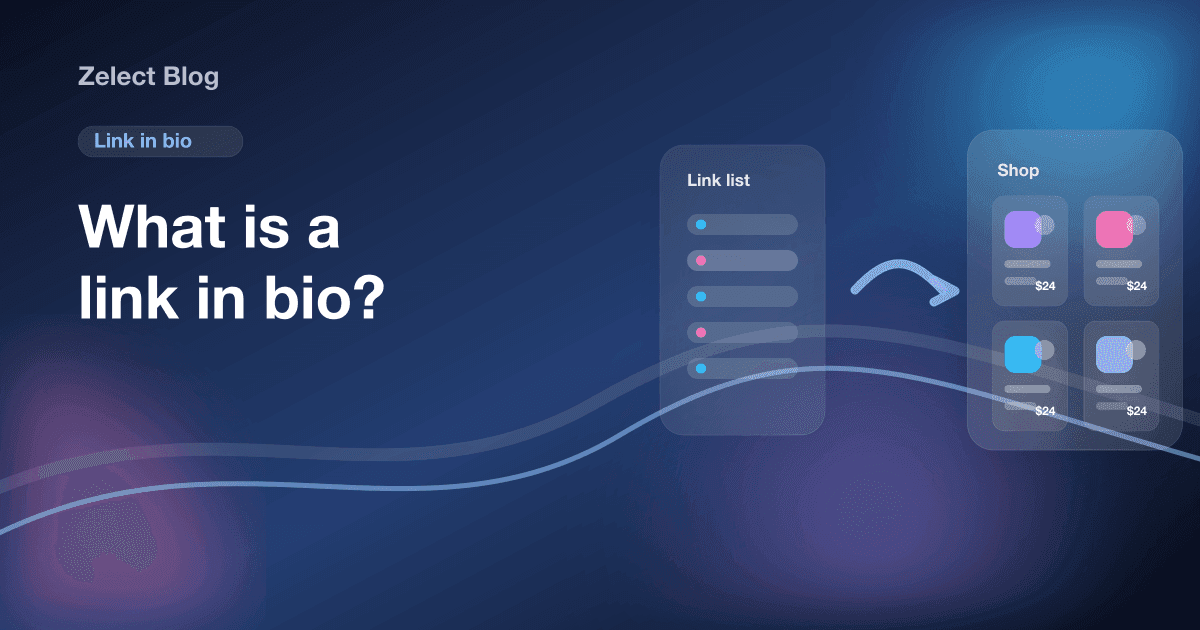
A link in bio is the single clickable link in your social media profile, the one place on Instagram and TikTok where a URL works for every visitor. Creators point it to a page that holds many links, so one tap leads to everything they mention in their posts.
The phrase comes from Instagram, where links in captions don't open. "Link in bio" became the way to say: go to my profile, tap the link, and you'll find it. Today almost every network works the same way, and a whole category of link in bio tools exists to build the page behind that link.
This guide covers what to put in your link in bio, the three kinds of page you can use, and how to choose. If you earn from affiliate links, we also compared the best link in bio tools for affiliate marketing separately.
Why does the link in bio matter so much?
On most networks, the bio link is the only reliable exit from the app. Captions don't link on Instagram, and Story link stickers disappear after 24 hours. On TikTok, the profile link only shows for accounts with 1,000 followers or a Verified Business Account.
So every post that sends people somewhere ends up at the same place. If that place is confusing, every post loses clicks at the last step.
Instagram has allowed up to five links in a profile since April 2023. Only the first one shows on the profile, and a caption can still only say "link in bio" once. That's why most creators keep one main link to a page they control.
What should you put in your link in bio?
Start from what people ask you in the comments. Whatever they keep asking where to find belongs behind the link.
| If your posts mostly... | Put this behind the link |
|---|---|
| Recommend products | The products, with photos, grouped by category |
| Promote a podcast, channel or newsletter | Your latest episode and a signup link |
| Sell your own course or download | A page with checkout |
| Mix all of the above | A short list: the main offer first, the rest below |
A few rules make any link in bio page work better:
- Put the newest thing first. People arrive from your last post. Make what you just mentioned the first thing they see.
- Say what's behind the link in your bio text. "My desk setup, link below" beats a bare URL.
- Cut dead links. A sold-out product or an old giveaway wastes the visitor's first tap.
- Disclose affiliate links. If you earn a commission, say so on the page and in each post. The disclosure section of our guide on how to make money with affiliate links covers the basics.
What kinds of link in bio page are there?
There are three main options, and they suit different creators.
What is a link in bio tool?
A link in bio tool hosts a page of buttons at an address like linktr.ee/yourname. You add links and colors, then paste the address into your profile. Linktree is the one most people know, and Beacons and Stan work in a similar way. Setup takes minutes, most tools are free to start, and any kind of link fits.
The limit shows when your page is mostly products. A list of text buttons gives no photo and no price, so a follower looking for one item has to read and guess.
What is a link in bio website?
A link in bio website is a full site you build yourself, on a website builder or with your own hosting, with a page you use as the bio link. You get complete control: your domain, long articles, any layout.
The cost is work. You design it, keep it updated and pay for the domain and plan. It pays off when you publish a lot of written content or sell your own products.
What is a link in bio shop?
A link in bio shop, also called a storefront, shows products as cards: a photo, a name, a price and a buy button. It's built for creators whose posts are mostly recommendations. Followers who saw a product in a video can find it by sight, and categories let you send a video about skincare straight to the skincare section.
Some shops come from a single store, like an Amazon storefront, which holds Amazon products only. Others accept links from any store.
How do you choose a link in bio tool?
Ask four questions before you sign up:
- What does my page mostly hold? Links of every kind point to a classic link tool. Mostly products point to a shop.
- Do I need to sell my own products? Then you need checkout, which tools like Beacons and Stan include and plain storefronts don't.
- What will it cost when I grow? Look at the paid plan you'd need for analytics, a custom domain or removing branding.
- Can I link straight to one item? Being able to send a video to one product or one category saves your followers a search.
If you're comparing tools head to head, our Linktree vs storefront comparison goes through the trade-offs in detail.
Where does Zelect fit?
Zelect is our product, so take this section with that in mind. It's a link in bio shop for affiliate links. You paste a product link from Amazon, Shopee, Mercado Livre, AliExpress or most other stores, and Zelect fills in the photo, title and price where the store page publishes them. You sort products into categories, each with its own link, and every product gets its own page. One product can carry several buy links, like Amazon and Shopee.
The Free plan has one storefront with 25 products and 3 categories, with no credit card. Pro costs $4.90 a month for 2 storefronts and 100 products each. Ultra costs $5.90 a month and adds click analytics, your own domain and your logo. Zelect takes no commission on your sales.
What it doesn't do: it has no checkout, so it's not the right tool for selling your own course or download, and it isn't a link list for podcasts and newsletters. If most of your links aren't products, a classic link in bio tool is the better pick.
If your posts are mostly product recommendations, create a free Zelect storefront, add the products from your last three posts, and put the link in your bio.
Frequently asked questions
What does link in bio mean?
"Link in bio" means the clickable link in a social profile, the one place on Instagram or TikTok where a URL works for every visitor. When a creator says "link in bio" in a post, they're telling you to tap their profile and open that link to find what they mentioned.
Is a link in bio tool free?
Most have a free plan. Linktree, Beacons and Zelect all offer one, and the paid plans add things like analytics, a custom domain or removing the tool's branding. Check each tool's pricing page, since limits and prices change.
How many links can I put in my Instagram bio?
Instagram added support for up to five links in a profile in April 2023. Only the first one shows on the profile, and visitors tap to see the rest. Most creators still point the first link to one page that holds everything, because a single destination is easier to promote.
Do I need a link in bio website or is a link in bio tool enough?
A tool is enough for most creators. It gives you a hosted page at an address like tool.com/yourname, with no hosting or design work. A full website makes sense when you publish long articles, sell your own products with checkout, or need pages a tool can't build.
What is a link in bio shop?
A link in bio shop is a bio page that shows products as cards with a photo and a buy button instead of text links. Affiliates use it so followers can find the product from a video without scrolling a list. Zelect is one example, built for affiliate links from many stores.